SMS Consent Workflow
Public reference page documenting every opt-in path for the Adairsville Legacy Club SMS Notifications program. Provided for A2P 10DLC carrier review.
Program
Brand: Adairsville Legacy Club (501(c) nonprofit supporting Adairsville High School and Adairsville Middle School football).
Program name: Adairsville Legacy Club SMS Notifications.
Privacy Policy: https://adairsvillelegacy.com/privacy
SMS Terms & Conditions: https://adairsvillelegacy.com/sms-terms
Disclosures shown at every opt-in: message frequency varies; message and data rates may apply; reply STOP to unsubscribe, HELP for help; consent is not a condition of membership, donation, or purchase; mobile numbers are not shared with third parties or affiliates for marketing or promotional purposes.
Opt-in Path 1 — Member Portal toggle (primary)
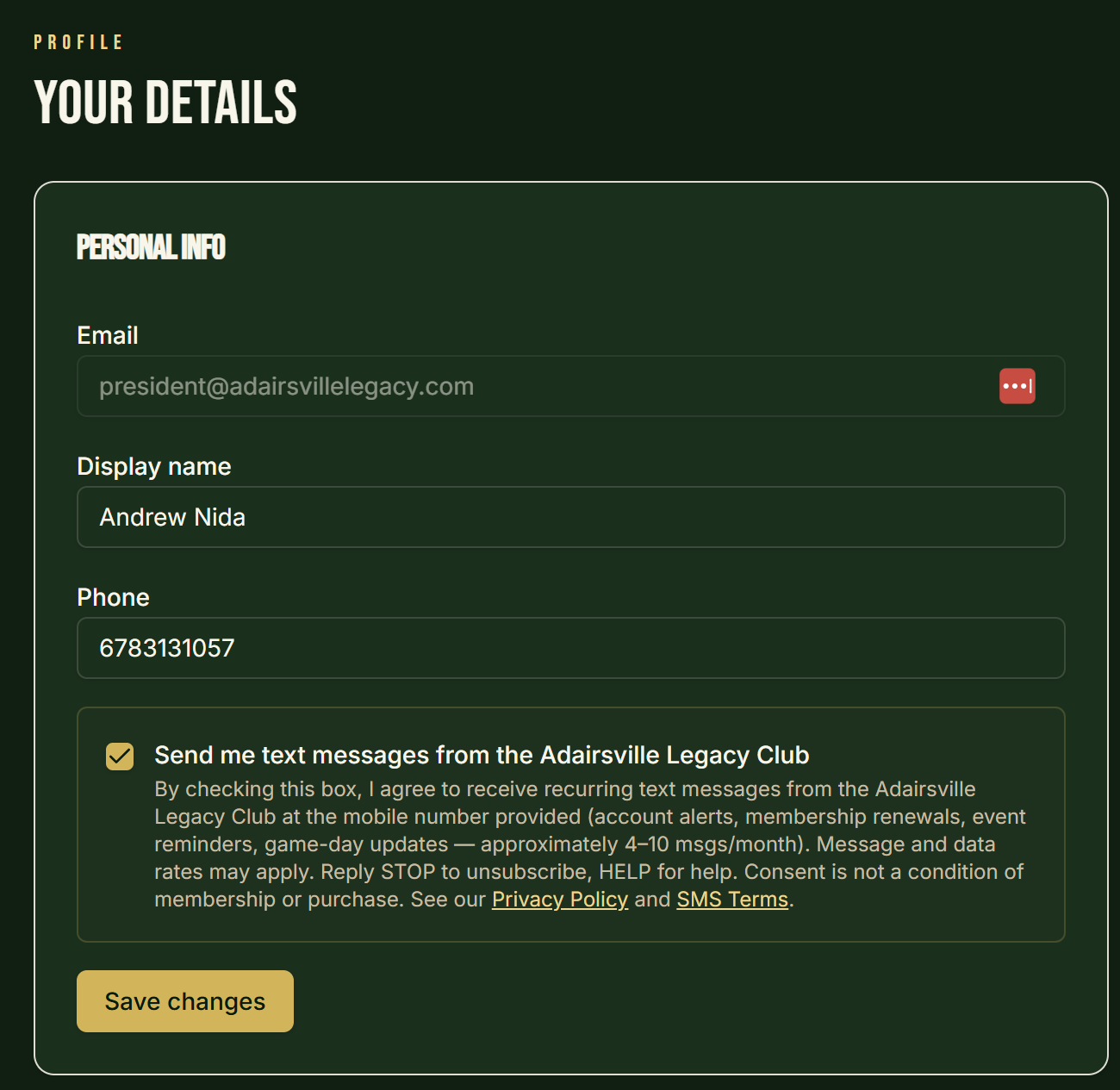
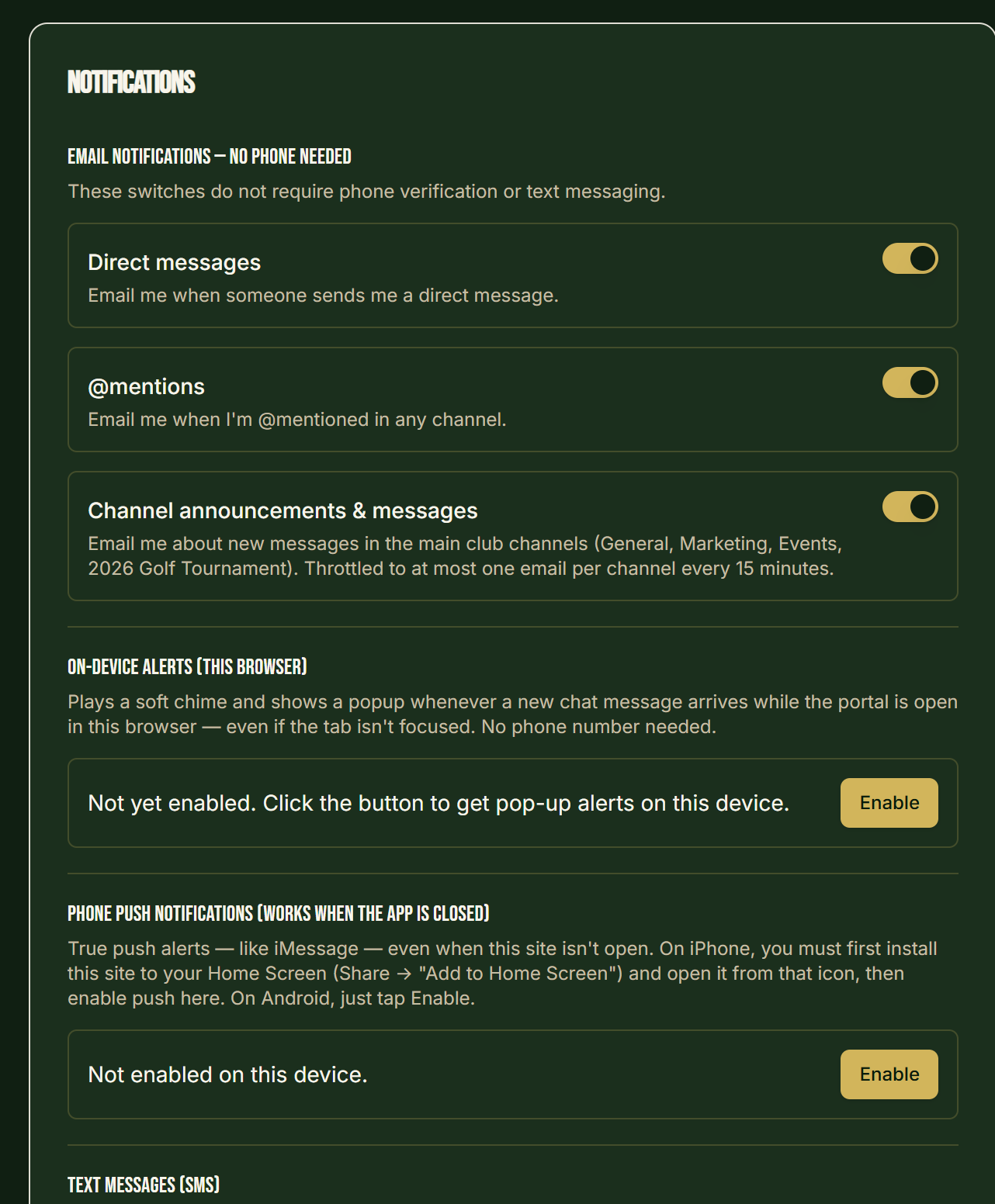
Where: Logged-in Member Portal, Profile → Personal Info → Notification Preferences.
URL (gated, requires login): https://adairsvillelegacy.com/portal/profile
End-to-end flow:
- User creates an account on
adairsvillelegacy.comand verifies their email. - User logs in and navigates to Profile → Personal Info.
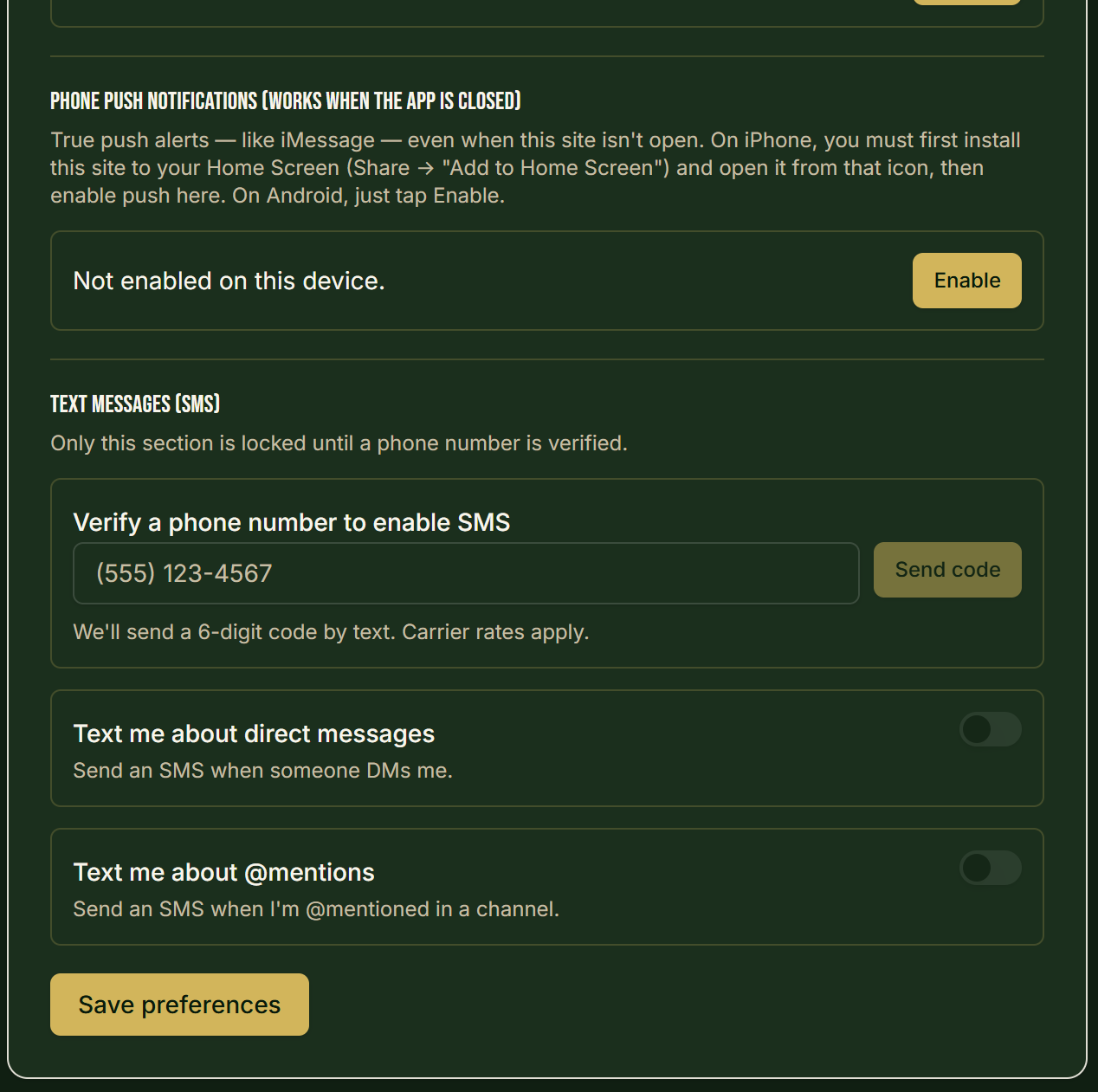
- User enters their mobile number and clicks Verify Phone. We send a 6-digit code by SMS (single transactional verification message). The user enters the code to confirm ownership of the number.
- In the Notification Preferences card, the user sees an unchecked checkbox labeled: "Send me text messages from the Adairsville Legacy Club."
- Immediately below the checkbox, the following disclosure is displayed (this is the literal on-screen text):
By checking this box, I agree to receive recurring text messages from the Adairsville Legacy Club at the mobile number provided (account alerts, membership renewals, event reminders, game-day updates — approximately 4–10 msgs/month). Message and data rates may apply. Reply STOP to unsubscribe, HELP for help. Consent is not a condition of membership or purchase. See our Privacy Policy and SMS Terms.
- The user actively checks the box and clicks Save Preferences. The timestamp, IP address, user ID, and consent text are recorded in our database.
- The opt-in box is unchecked by default and is not bundled with Terms acceptance or any other consent.
Live screenshots of the gated Member Portal flow:
Opt-in Path 2 — Forms on the public website
Where: Membership application, event registration, donation, volunteer, and contact forms on adairsvillelegacy.com.
Important: Providing a phone number on any form does not opt the user into SMS. Each form that collects a phone number renders the same unchecked SMS consent checkbox shown above. The user must affirmatively check the box for the number to be enrolled in SMS messaging. If the user submits the form without checking the box, their phone number is stored for staff contact only and is never used for SMS.
Opt-in Path 3 — Texting START to our number
Where: Any mobile phone.
Keyword: START (also SUBSCRIBE, UNSTOP, YES).
Number: the Adairsville Legacy Club SMS-enabled number provisioned through Twilio for this campaign.
Opt-in confirmation message (sent automatically on first START):
Adairsville Legacy Club: You're now subscribed to recurring text messages (account alerts, membership renewals, event reminders, game-day updates). Msg frequency varies, approx 4–10 msgs/month. Msg & data rates may apply. Reply HELP for help, STOP to cancel. Terms: https://adairsvillelegacy.com/sms-terms Privacy: https://adairsvillelegacy.com/privacy
Opt-out and Help
Users can reply STOP, STOPALL,UNSUBSCRIBE, CANCEL, END, QUIT, or REVOKE at any time. Reply HELP or INFO for assistance. Opt-out and help keywords are managed by Twilio's default keyword handler.
No sharing
Mobile numbers and SMS consent are not shared with any third party or affiliate for marketing or promotional purposes. Numbers are only shared with our SMS delivery provider (Twilio) for the sole purpose of delivering the messages the user has requested. This is stated in our Privacy Policy.
Contact
Adairsville Legacy Club — members@adairsvillelegacy.com